Motion Recording In Vanguard ICC Troubleshooting
Jump to navigation
Jump to search
The printable version is no longer supported and may have rendering errors. Please update your browser bookmarks and please use the default browser print function instead.
Question
I set Vanguard ICC up to record when motion is detected, but it doesn't seem to work. What can I try?
Answer
- Make sure you have set the software up correctly to record on motion.
- Double-check that you have activated motion recording (the indicated icon should be green):
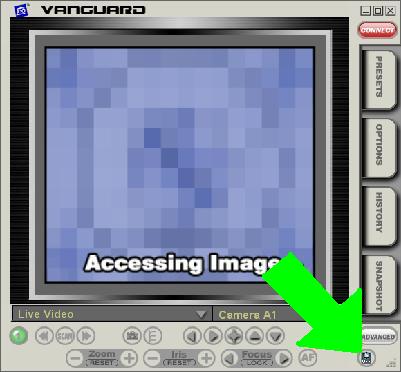
- Make sure your CM19A is plugged into the computer. Test the CM19A by trying to switch between cameras or pan/tilt/zoom from the PC; you should see the CM19A blink briefly.
- Set a remote control to send the same address as one of your motion sensors. Stand near your PC, send ON at that address, wait 30 seconds, then send the corresponding OFF command. If this produces a recording, try the following:

- Position the CM19A as high as possible on the wall, and as far away from your computer as possible.
- Use a USB extension cable to reposition the CM19A further away from the computer.